
SimpleMind Pro - Mind Mapping
ModelMaker ToolsProductivity
4.81.90K Reviews
- Version
- 2.9.0
- Installs
- 100.00K
- Age Rating
- Everyone
Screenshots
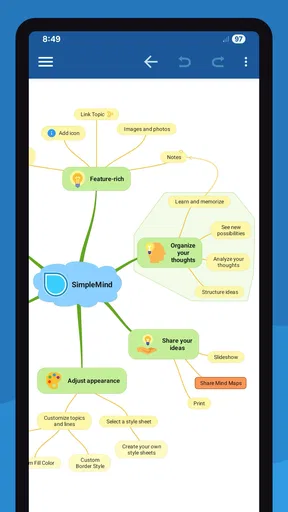
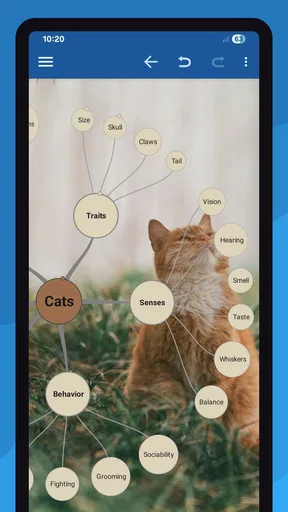
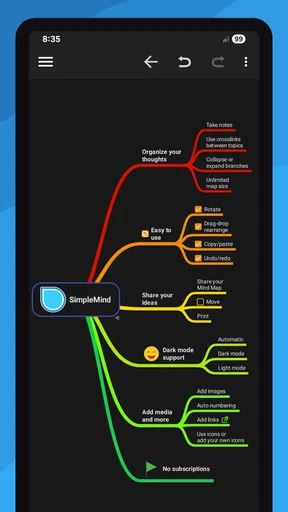
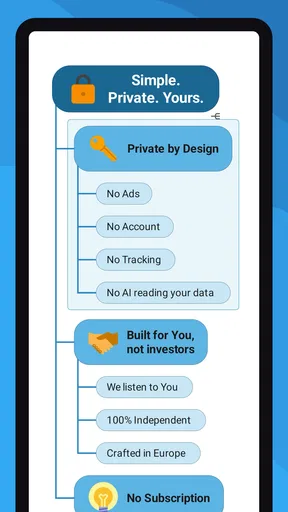
Our Review of SimpleMind Pro - Mind Mapping
 Analysis by Appyee
I tend to get the most out of a mind map when I know what I want it to do before I start adding branches. SimpleMind Pro - Mind Mapping works best for me as a place to turn a jumble of thoughts into a shape I can inspect: what belongs together, what needs a decision, and what can wait. It is a productivity app from ModelMaker Tools, and its appeal is less about replacing every notebook or task list than about giving connected ideas room to breathe.
Choose the job before you open a map
Before creating a map, I ask whether the problem is really about relationships. If I only need to remember three errands, a checklist is quicker. If I am planning a presentation, comparing options, or trying to understand how several pieces of a project depend on one another, a map is more useful because I can see the connections instead of forcing everything into a linear order.
That distinction helps keep the app from becoming another place where unfinished work accumulates. I use one map for one purpose, give it a central question, and keep the first pass rough. For example, “What has to be ready for the client meeting?” is a better starting point than a vague map called “Work.” The question gives every branch a test: does this help answer it, or is it a separate concern?
Capture ideas without losing the thread
The familiar node-and-branch layout makes quick capture straightforward, but the useful part comes after the initial brainstorm. I can move a thought when I realize it belongs under a different topic, rather than rewriting a page of notes. I also find it helpful to use short labels for branches and reserve longer explanations for supporting notes or material attached to a node. That keeps the overall map readable while preserving detail where it matters.
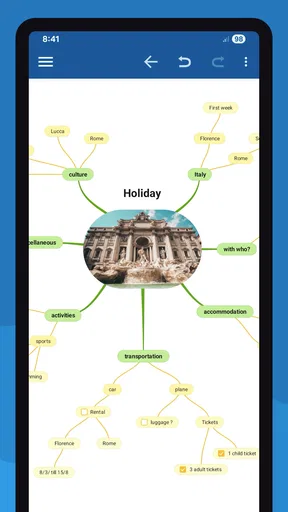
Images and links can give a branch context that a short label cannot. In a research map, for instance, I might keep a source near the claim it supports rather than collect every reference at the bottom of a document. The trade-off is that a map can become visually crowded if I attach something to every idea. I try to add material only when it helps me make a decision or return to a source later.
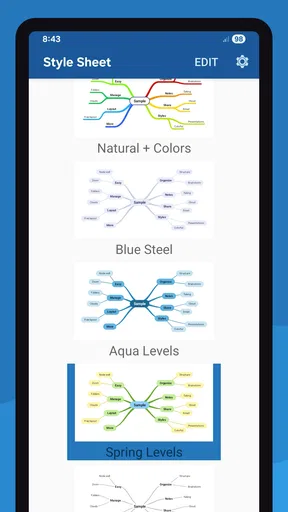
Customization is useful for more than decoration. I can use color or shape consistently to distinguish questions from decisions, or active work from ideas I am parking. That only pays off if I keep the meaning stable; changing the visual code from map to map makes it harder to scan. A small, repeatable scheme is easier to maintain than trying to make every branch look different.
Build a routine that turns maps into action
A mind map is not automatically a plan. My practical routine is to capture freely, group related branches, then review the result and identify the next actions that need to leave the map. A branch such as “prepare workshop” can be useful for thinking, but it is not a clear commitment until I decide what to do first and when. I move those commitments into the task system I already use, while keeping the map as the overview.
This division of labor is one of the main reasons I would use SimpleMind Pro alongside other productivity tools instead of asking it to replace them. A document is usually better for a polished explanation, and a calendar is better for time-specific commitments. A conventional notes app can be more comfortable for long passages of text. The map earns its place when visual structure helps me notice gaps, clusters, or competing paths.
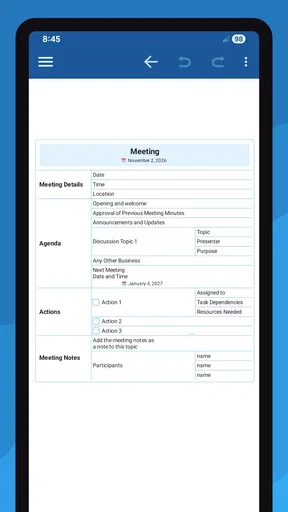
For a realistic day-to-day example, imagine that I have a meeting in the afternoon about a small event. In the morning, I can map the people involved, the decisions still open, the materials needed, and the questions I want answered. Once the meeting ends, I can reorganize the branches around what was decided and pull out the concrete follow-ups. The map gives me a useful before-and-after view without pretending to be the reminder system that will make me do each task.
Keep the map useful across devices and people
Being able to continue work across a phone, tablet, and computer suits a workflow where ideas arrive away from a desk and need more careful editing later. I would capture a quick thought on the go, then use a larger screen when rearranging a dense map. Cloud storage options such as Google Drive, Dropbox, and OneDrive also make it easier to keep a copy somewhere familiar. I would still choose a storage location deliberately and check that the map is where I expect before relying on it for important work.
Sharing can help a group brainstorm, but I would agree on the map’s purpose and editing approach first. If everyone adds branches without a shared question or naming convention, the result can be harder to use than a conversation. For a meeting, I prefer to have one person organize the structure while others contribute, then review the map together. Exporting to formats such as PDF, Word, or HTML is handy when someone needs to read the outcome without opening the app; an exported document is often the clearer handoff for people who do not need to edit the map itself.
Know where the friction is
Mind mapping has a learning curve even when the controls feel approachable. The harder skill is deciding how much detail belongs on the canvas. Too little, and the map is merely a list with branches; too much, and the overview disappears beneath crowded nodes. I avoid that by splitting a broad subject into smaller maps when a single canvas starts to demand constant zooming and rearranging.
There is also a practical question of commitment. At $11.99, this is a paid choice, so I would want to know that I regularly think in relationships and will return to my maps. Its 4.8 average from around 22,000 ratings and more than 100,000 installs suggest that many people find value in it, but popularity cannot tell me whether my own work suits the format. Simple lists, shared documents, or a paper notebook may be better if my needs are occasional or mostly text-based.
The app is rated for Everyone, and version 2.9.0 requires Android 8.0 or later. It was released on April 12, 2012, and the long-running presence is reassuring in one limited sense: this is an established tool rather than a brand-new experiment. I would still make my decision based on the workflow I need today, not on age alone. Its 1.9K reviews provide another useful point of reference, but the deciding question remains whether a visual map makes my own planning clearer.
Getting Started with Simplicity
The moment you open SimpleMind Pro, you’re greeted with an interface that screams simplicity. And trust me, in a world where apps often bombard you with complicated menus, this is a breath of fresh air. No need to watch lengthy tutorials or sift through endless options. Instead, you’re thrown right into creating your first mind map with just a few taps.
Features that Stand Out
Okay, let’s talk features because this app has a ton. First off, the drag-and-drop functionality is smooth as silk. You can effortlessly move your ideas around, and connecting different thoughts is as simple as dragging a line from one bubble to another. It's like playing connect the dots, but for your brain!
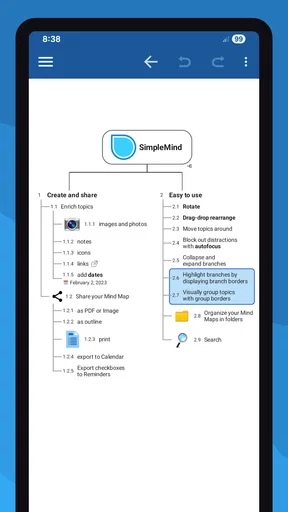
Another feature I adore is the ability to customize every little detail. From colors to fonts and even the shapes of your nodes, SimpleMind Pro gives you the freedom to make your mind map as unique as your thought process. And let's not forget about the option to add images and links. This means you can easily create a rich, multi-dimensional map that truly reflects your ideas.
Stay Organized and Sync Across Devices
For those of us who switch between devices like it's nobody’s business, the app’s cross-platform syncing is a godsend. Whether you’re on your phone, tablet, or computer, your mind maps are always up to date. This means you can start mapping out your next big project on your commute and pick up right where you left off once you’re at your desk.
Plus, the cloud storage integration is seamless. You can save your maps to popular services like Google Drive, Dropbox, and OneDrive. This ensures that your precious ideas are backed up and accessible wherever you go.
Intuitive Collaboration
Collaborating with a team? SimpleMind Pro has you covered. You can share your mind maps with colleagues or friends, allowing them to view or edit as needed. It’s like having a virtual brainstorming session without everyone needing to be in the same room. And let's be honest, who doesn’t love working in their pajamas?
Even more impressive is the app’s ability to export maps in various formats, including PDF, Word, and HTML. This means you can easily share your ideas with anyone, whether they have the app or not.
Why It’s Worth the Investment
Now, I won’t sugarcoat it—SimpleMind Pro does come with a price tag. But if you’re serious about boosting your productivity and organizing your thoughts, it’s worth every penny. The app’s versatility and ease of use make it a powerful tool for students, professionals, and anyone in between.
Moreover, the app’s developers are constantly updating it with new features and improvements. This ensures that you’re always getting the best possible experience, which is something I really appreciate.
Wrapping Up My Thoughts
In a nutshell, if you’re looking for a mind mapping app that’s both powerful and user-friendly, SimpleMind Pro - Mind Mapping is a fantastic option. Its intuitive design, robust feature set, and seamless cross-platform capabilities make it a standout choice in the crowded world of productivity apps.
So, go ahead and give it a try. Who knows, you might just find that it’s the missing piece in your productivity puzzle. And hey, if it helps you finally organize that big project or plan your next vacation, I’d say it’s a win!
Verdict
Strengths of SimpleMind Pro - Mind Mapping
- Intuitive interface for easy navigation.
- Cross-platform sync with cloud services.
- Rich features for detailed mind maps.
- Customizable templates and styles.
- Offline access to mind maps.
Limitations of SimpleMind Pro - Mind Mapping
- Limited export options in some formats.
- High price compared to alternatives.
- Occasional sync issues reported.
- Complexity may overwhelm new users.
- No free trial available.
Similar Picks in This Category
View All
Google Calendar
Google LLC4.6

Google Drive
Google LLC4.3

Google Assistant
Google LLC3.9

Microsoft OneDrive
Microsoft Corporation4.6

Samsung Calendar
Samsung Electronics Co., Ltd.4.1

Microsoft OneNote: Save Notes
Microsoft Corporation4.6
Frequently Asked Questions
What features does SimpleMind Pro offer for mind mapping?
SimpleMind Pro provides a comprehensive set of features for effective mind mapping, including unlimited page size and elements, various layout options, and the ability to add images, notes, and hyperlinks. It also supports seamless synchronization across devices, ensuring your mind maps are always up-to-date and accessible.
Is SimpleMind Pro compatible with both Android and iOS devices?
Yes, SimpleMind Pro is available on both Android and iOS platforms. It offers a consistent user experience across devices, allowing you to create, edit, and view mind maps on your smartphone or tablet, whether you’re using Android or iOS. Cross-platform support enhances its utility for users with multiple devices.
Does SimpleMind Pro support collaboration with other users?
As of now, SimpleMind Pro does not offer real-time collaboration features. However, you can share mind maps via email or cloud services like Dropbox, Google Drive, and OneDrive, enabling team members to view and comment on your maps, fostering collaborative brainstorming sessions.
How user-friendly is SimpleMind Pro for beginners?
SimpleMind Pro is designed with an intuitive interface that caters to both beginners and experienced users. It offers a straightforward drag-and-drop functionality, customizable templates, and a helpful tutorial to guide new users through the basics of mind mapping, making it accessible for everyone.
Is there a free version available, or is SimpleMind Pro a paid app?
SimpleMind Pro is a paid app, offering a one-time purchase model without recurring subscriptions. While there is a free version available, it comes with limited features compared to the Pro version. The Pro version unlocks advanced functionalities, making it a worthwhile investment for serious mind mapping needs.
